
Skip to content
Built around your business

Your business.
Your brand.
All connected.

A website your customers love. A workspace your team understands. Bring both together with WavLiq—built for water businesses, clinics and diagnostic centres.

  • Your own branding
  • Industry-specific workflows
  • Role-based workspaces
your-business.wavliq.com
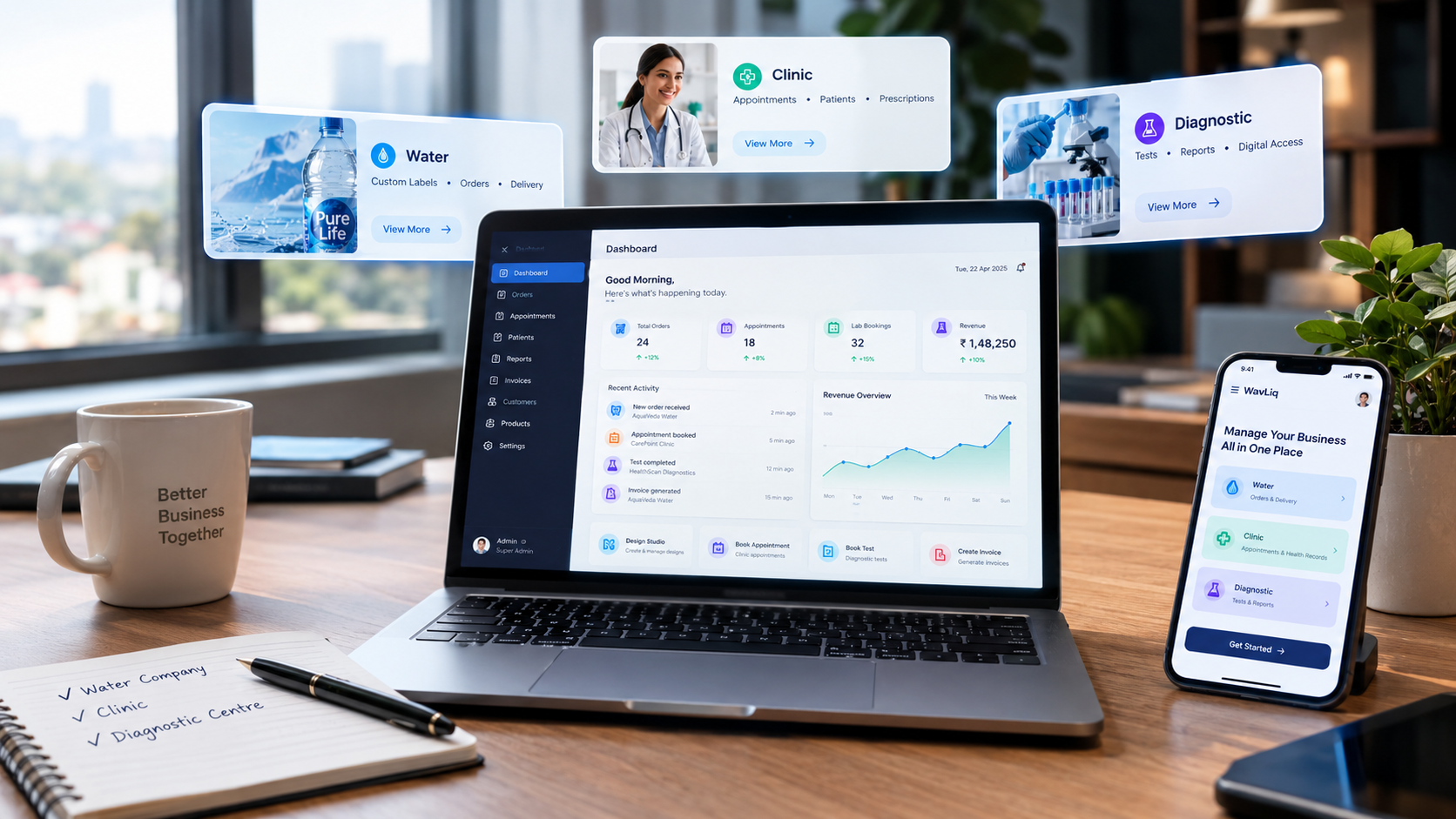
Illustration of personalised water, clinic and diagnostic websites
Different businesses. Their own identity.Illustrative website previews
ONE PLATFORM. DISTINCT EXPERIENCES.Water businessesClinicsDiagnostic centres
More than a good-looking website

The experience outside.
The control inside.

Your customers see your brand. Your team gets the tools to manage the work behind it. WavLiq connects the two, instead of treating them as separate projects.

A sample personalised bottle request brings its bottle choice and saved label into the team workspace, assigned to the fulfilment team at the main hub. All content is illustrative. The animated connection shows the same request moving from the customer experience into an assigned team workflow.

01Your customer's experience
your-business.example
Your water brandSample website
Personalised bottles

Made for their moment.

Your bottles. Their occasion. Your identity.

Personalised 500 ml bottleBottle choice + saved label
  • 500 ml bottle
  • Custom label
  • Event delivery
Personalised bottle orderSelected bottle and label travel together
02Your team's workspace
WavLiq / WorkspaceSample workflow
THE WORK BEHIND THE EXPERIENCE

One order. A clear handoff.

Personalised bottle orderPersonalised 500 ml bottle
Order context
500 ml bottle · saved label
Assigned to
Fulfilment team
Location
Main fulfilment hub
  1. Order request received
  2. Bottle & label connected
  3. Fulfilment team assignedExample
Example: assigned to fulfilmentThe team has the order and its design.
Illustrative workflow · no live customer records or requests

Water business example selected. A sample personalised bottle request brings its bottle choice and saved label into the team workspace, assigned to the fulfilment team at the main hub.

For your water business

Their label. Your operation. One connected order.

A personalised bottle is more than a design. Connect the customer’s choices to the people who approve the artwork, prepare the order and deliver it, with the same details available at every handoff.

A website that feels like you

Give customers a website that carries your water brand, product catalogue, bottle sizes and pricing. Use a WavLiq subdomain or a configured custom domain, then carry the same identity into the label choices customers see.

A clear customer journey

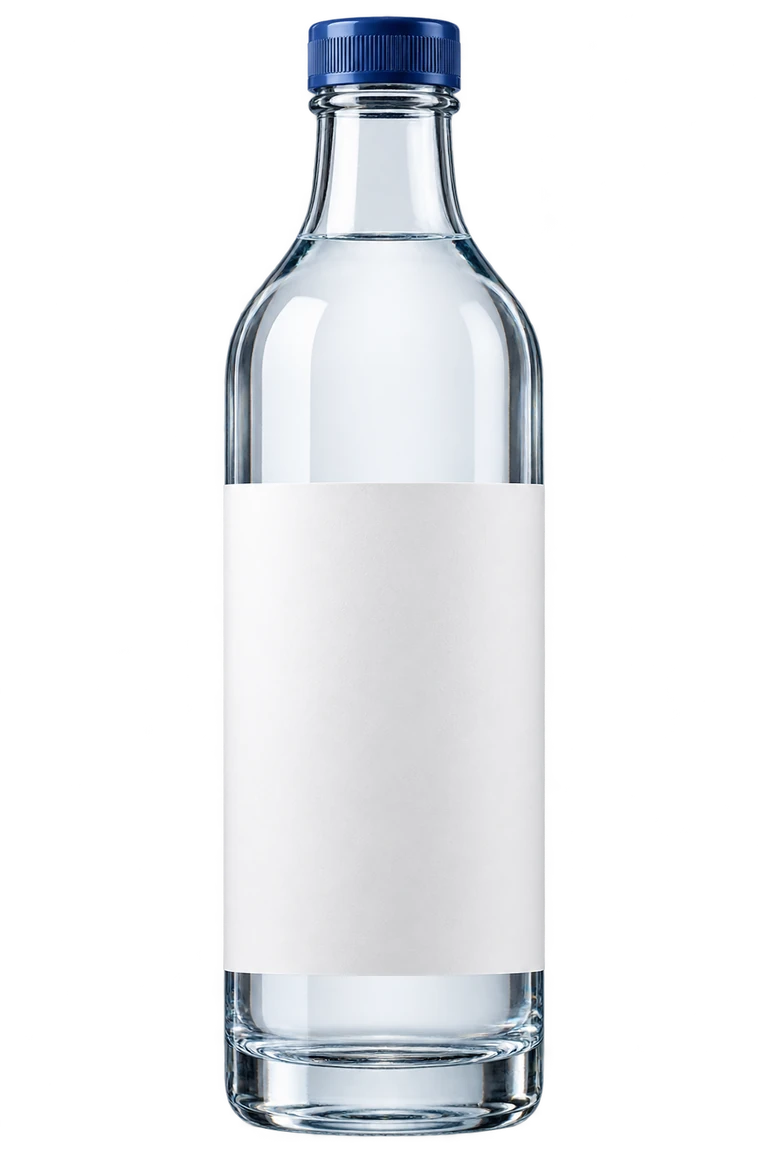
Customers choose a bottle and personalise it in WavLiq Studio: start from a template, edit text, add graphics or upload a complete label. The selected bottle, quantity and saved design stay together when the order reaches your team.

The right work, for the right person

Owners and authorised staff create reusable templates and protect required brand details. Upload AI-created artwork or configure an approved bottle model—uploaded or generated through a configured external provider—for product-specific 3D previews. Assign production and delivery work to the right people.

Room for every location

Organise fulfilment hubs, stock locations and assigned team members around the way you supply customers. Keep each order linked to its location and responsibilities, whether your business prepares event bottles, regular deliveries or hospitality orders.

Documents, not loose ends

Keep the saved label, order, invoice and production records connected. Follow the approved artwork through production, quality checks and packing, so the team can confirm what is ready for dispatch and customers can return to their order documents.

Communication with context

Help customers follow their order as your team prepares and delivers it. Use the web delivery workspace for assigned jobs, delivery progress and completion, with configured notifications supporting the next step and a customer account showing relevant updates.

The complete connected journey

From bottle choice to delivery

The customer’s bottle and saved label remain connected to the order as it moves through your team.

  1. Choose & personalise

    The customer selects a bottle, quantity and label, then saves their artwork in WavLiq Studio with the order.

  2. Receive, accept & invoice

    Your team receives and accepts the order, checks quantities and the saved design, and keeps its invoice connected.

  3. Approve the artwork

    Authorised staff review the design, and the customer confirms the approved version before the order proceeds to production.

  4. Produce, check & pack

    Assigned staff prepare the bottles, record quality checks and pack the order before it is ready for dispatch.

  5. Assign & dispatch

    Your team assigns the ready order to delivery staff, who use the web workspace to manage their jobs.

  6. Track & receive

    Delivery progress stays connected to the order, giving the customer relevant updates through to the recorded delivery completion.

See the whole picture

Connected records help your team understand what has happened and what needs attention next.

Money & invoices

Follow order values, payments, outstanding amounts and revenue through connected invoices and payment records.

Products & fulfilment

Connect bottle quantities, stock, approved artwork, quality checks, packing and delivery progress.

Customers & repeat orders

Bring customer details, saved designs and order history together, so your team understands each client’s work.

Features, staff access, domains and provider integrations depend on your configured plan and setup. Specialist modules are not included by default; patient and customer records stay within authorised business workflows.

Start with the tools your business needs.Explore your requirements
Built for the business you run

Your industry is different.
Your experience should be too.

A clinic needs connected patient visits. A diagnostic centre needs a clear collection-to-report flow. A water business needs personalised orders. WavLiq brings your website and daily work together—on your terms.

Water, with your identity

Their occasion. Your bottle. A brand they remember.

From event orders to everyday supply, connect a personalised buying experience to the team that prepares and delivers it.

  • Sell the right bottle

    Present sizes, variants, prices and stock in a catalogue built around your products.

  • Let customers make it theirs

    Templates, uploads and label editing with your mandatory brand details kept protected.

  • Keep the work behind the order connected

    Bring orders, invoices, fulfilment assignments and delivery updates into your workspace.

Discuss my water workflow
YOUR BRANDWater businesses
The experience your customers see

Your water. Their moment.

A bottle for celebrations, hospitality and everyday business.

250 mlPersonalise the label
500 mlPersonalise the label
1 litrePersonalise the label

Generated sample bottles · sizes shown for illustration

Illustrative workflow preview · not a live business record

  1. 01Choose a bottle
  2. 02Personalise
  3. 03Place an order
  4. 04Fulfil & deliver

For branded water suppliers, event orders and hospitality businesses.

Explore sample storefronts

Available modules, locations and staff capacity depend on your configured plan and business requirements.

Purpose-built for clinics

A calmer clinic.
A connected team.

A patient sees one clinic. Behind the scenes, every role needs a different workspace. WavLiq connects the visit without giving everyone the same dashboard.

A workspace built around the consultation

Less searching. More context for every visit.

A focused doctor workspace brings the day's assigned appointments, walk-ins and patient history together. Move from the schedule to the consultation without navigating an administrator's dashboard.

Your schedule, clearly organised

See assigned appointments and walk-ins, manage availability and open the right patient visit.

History before you begin

Bring electronic patient records (EHR)—earlier visits, prescriptions and released documents—into context, with access limited to authorised work.

Draft now. Release with care.

Save consultation drafts and create A4 prescriptions on the clinic's configured letterhead. Finalisation and patient release stay separate.

A small practice can stay flexible

The clinic Admin can give a doctor specific payment or receipt permissions when the same person also runs the front desk.

Your clinicIllustrative workspace
Doctor workspace

Your day, with room to focus.

Schedule view
08Appointments
02Walk-ins
01Saved draft
Assigned visitsSample day
Patient 01Booked consultation
Checked in
Patient 02Follow-up visit
Scheduled
Patient 03Walk-in · reception assigned
Waiting
Patient 01

Visit context

Earlier consultationAvailable
Released prescriptionHistory
YOUR CLINICA4
Consultation documentSaved draft · not released

Sample data only · no live patient records or clinical advice

One connected visit

Clear handoffs. Not scattered records.

Billing can happen at the stage the clinic permits; payment status stays separate from the clinical record.

  1. Book or walk inPatient & reception
  2. Check in & assignReception
  3. Consult with historyAssigned doctor
  4. Verify & receiptAuthorised staff
  5. Access released recordsPatient My Account
WavLiq Studio

A bottle.
A story.
Their own design.

From a wedding table to a business event, turn a standard bottle into a personal moment. Bring your customer's ideas, product previews and business brand rules into one design experience.

  1. 01

    Start with the right canvas

    Choose a product, variant and configured label or wrap surface.

  2. 02

    Make it personal

    Begin with a template or add text, images, colours and graphics.

  3. 03

    See the design come together

    Check the flat label and explore the selected product in 3D when a model is configured.

Editor access and available products follow your account's business setup.

EXPLORE THE POSSIBILITIES

One design. Two views.

Illustrative preview

Choose an occasion. Watch both labels change.

Wedding exampleA personal touch for a shared celebration.
A consistent foundation

The brand and required business details stay with the artwork.

Sample artwork on a generated bottle image for illustration. The editor uses your configured products, surfaces and preview models.

Wedding example selected. The flat label and bottle show the same design.

FOR CUSTOMERS

Room for their ideas.

Personalise the editable artwork with names, images and a style that fits the occasion.

FOR BUSINESS ADMINS

Control over the essentials.

Configure brand, legal and mandatory details as protected layers above customer artwork, locked against customer edits.

One business. A connected team.

A place for everyone. A purpose for every role.

Not everyone needs the same dashboard. Give each person a clear view of the work they are responsible for, while keeping your business organised.

Illustration of a connected WavLiq business workspace across water, clinic and diagnostics workflows
Illustrative dashboard · role and industry configuration may vary

Business admin

Manage your brand, catalogue, locations and team access.

Reception & executives

Register customers, coordinate bookings and handle assigned work.

Doctors

Review assigned patients, consultation history and clinical documents.

Collectors & delivery staff

See assignments and update the progress of field work.

Customers & patients

Order or book, follow updates and access released documents.

Staff roles and permissions are configured for your business; not every role applies to every industry.

From requirements to daily work

A thoughtful start. A connected way to run.

Start with a personalised walkthrough, then shape the setup around your business—not the other way around.

  1. 01

    Tell us how you work

    Your industry, customer journey, locations and team's responsibilities come first.

  2. 02

    Make the experience yours

    Configure your branding, storefront, catalogue or services and required workflow.

  3. 03

    Bring your team together

    Set up accounts, permissions and the workspaces each team member needs.

  4. 04

    Run the day-to-day

    Welcome customers, manage work and keep orders or bookings moving through the right steps.

Your identity. Your control.

Built for your brand.
Ready for the way you work.

Choose the identity your customers see and the access your team needs. Discuss domain, branding and integration requirements during your setup.

Let's talk about your setup

Your own digital address

A dedicated WavLiq subdomain, or your existing domain with the required setup and verification.

Access with boundaries

Business-specific workspaces, role permissions and approvals for controlled team access.

Read about security

Connections that fit

Configure payment and communication providers to support your workflow. Availability and usage depend on your setup.

A plan for your next stage

Start focused. Grow with confidence.

Compare the capacity your business needs today. We’ll help you confirm the right plan, workflow and setup in a personalised demo.

Choose your billing period
Annual total shown. Billed yearly.

Launch

A focused start for a small team running one location.

₹20,000/year

Billed annually · taxes extra

Save ₹4,000 vs 12 monthly payments

Discuss this plan
Plan capacity
  • Up to 100 products, services or tests
  • 3 staff · 1 location
  • 1 premium storefront
  • 300 transactions / month

Business

For established teams with larger catalogues and busy daily operations.

₹80,000/year

Billed annually · taxes extra

Save ₹16,000 vs 12 monthly payments

Discuss this plan
Plan capacity
  • Up to 5,000 products, services or tests
  • 30 staff · 10 locations
  • 5 premium storefronts
  • 10,000 transactions / month

Custom

For organisations that need agreed capacity and a tailored rollout.

Custom

Custom pricing agreed in your quote

Capacity and commercial terms tailored to you.

Discuss your requirements
Plan capacity
  • Governed custom catalogue capacity
  • Configurable staff and locations
  • Configurable storefronts and domains
  • Contract-based transaction capacity
Staff seats
The staff accounts your team uses to access its workspace.
Locations
The branches or operating sites covered by your plan.
Catalogue capacity
Products, services or tests, depending on your industry.
Before you decide

A clear quote starts with your business.

Your demo helps turn a plan into an agreed scope. Confirm what is included and what costs extra before you proceed.

  • Your team and locations

    Review your staff, catalogue and transaction needs, including how multiple locations will work together.

  • Your features and add-ons

    Confirm the workflows included in your plan and any optional capacity or paid add-ons. Standard add-ons start at ₹500/month.

  • Your setup and integrations

    Agree the rollout scope and any setup, integration or provider costs. AI 3D, messaging, paid assets and other provider-cost services are metered separately.

Taxes are additional. A customised trial starts only after setup is ready and an explicit AutoPay mandate is active. The exact post-trial AutoPay amount and cancellation cutoff are shown before you consent. Booking a demo does not start a subscription.

A little clarity

Good questions.
Clear answers.

Getting to know WavLiq? Here are a few things worth knowing before we talk.

Have a different question?
What is WavLiq, in simple terms?

WavLiq brings your business website and the work behind it into a connected platform. Your customers can order or book through a branded experience, while your team manages the relevant workflow in its own workspaces.

Will my website look like my business?

Your storefront can use your business identity, catalogue or services and page content. Branding and domain requirements are discussed during setup so the customer-facing experience fits your business.

Do clinics and diagnostic centres get different workflows?

Yes. Clinics focus on appointments, patient registration, consultations and prescriptions. Diagnostic centres focus on tests and packages, bookings, collection coordination and released reports. Water businesses follow a product, personalisation, order and fulfilment journey.

Can different staff members have different permissions?

Yes. Business admins and authorised staff use role-specific workspaces. Access is configured around responsibilities, so reception, doctors, collectors, delivery staff and other executives do not all need the same permissions.

Can I use my own domain and manage multiple locations?

These requirements can be included in your setup. Domain verification and configuration are required for a custom domain. Location and staff capacity depend on your chosen plan and any agreed add-ons.

What will I see in a personalised demo?

We'll discuss your customer journey and team requirements, then walk through the storefront and operational workflow that applies to your industry. You can bring questions about branding, locations, documents, staff access and integrations.

Let's build your next chapter

Your business deserves a connected experience.

Show us how your customers order, book and receive your services. Let's map the right storefront and team workflow together.

Book my personalised demo